

Cloudera テクニカルシリーズ
目的
Apache NiFi で、S3ファイルの更新を検知して、更新されたファイルをAurora PostgreSQLにInsert
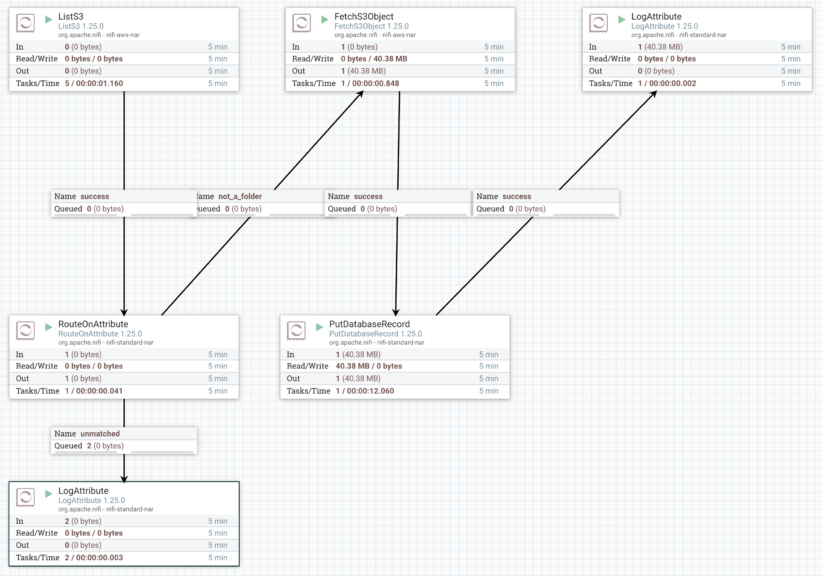
完成状態のデータフロー

手順
1) JSON をダウンロード
JSONファイル: Import_S3_To_Aurora_PostgreSQL.json
2) 新しいプロセッサーグループを作成。作成時、保存したJSONをアップロード

作成:

これでImport完了:

3.) JDBCドライバーを入れる
wget https://jdbc.postgresql.org/download/postgresql-42.7.3.jar
mkdir /tmp/nifi
mv postgresql-42.7.3.jar /tmp/nifi/
4) パラメータ設定
4.1) ListS3 のパラメータ設定

S3のAccess Key設定:


入力した値は保護されているため、表示されない。
「Sensitive Value set」のみ表示。

4.2) AWSキーを保存しているAWSCredentialsProviderControllerServiceを起動


4.3) CSVReaderを起動


4.4) JDBC Connection pool(DBCPConnectionPool-postgreSQL)を起動

5.1) S3ファイルを保存しているBucket、Prefixを編集


5.2) INSERTしたいPostgreSQLのテーブル名を編集
PutDatabaseRecordプロセッサーの設定:

6) 起動
7) 履歴を確認


